7 Ways to Optimize Your Google Business Profile for Local Seller Leads
Stop being the best-kept secret in your market and start ranking where local sellers are actually looking.
The Secret to Dominating the "Local Pack"
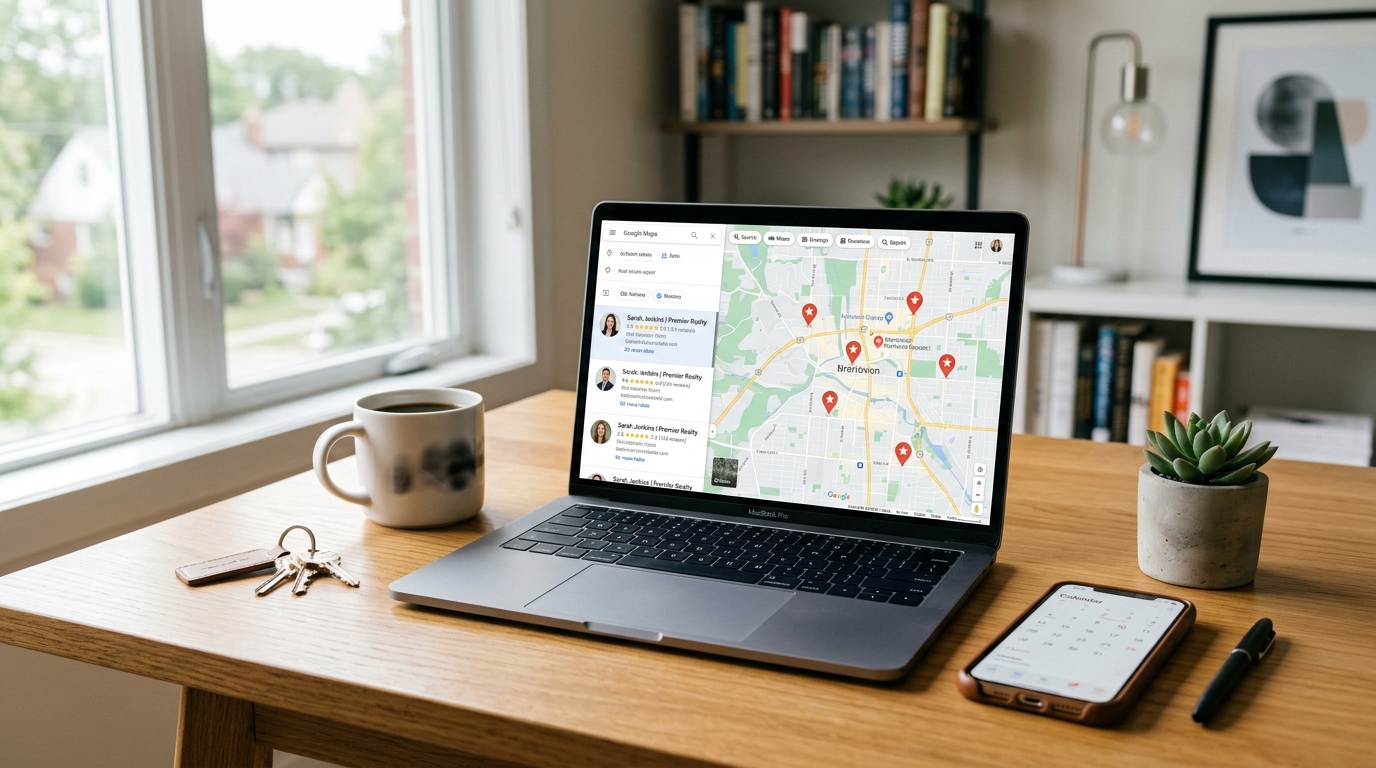
Think about the last time you needed a service—a plumber, a new brunch spot, or maybe a local mechanic. Where did you go? If you're like 90% of consumers, you went straight to Google and typed in “[Service] near me.” For a homeowner thinking about selling their property, that search looks like “top real estate agent in [City Name].”
If your name doesn't pop up in that coveted “Local Pack”—the top three map results—you’re essentially invisible to a massive pool of motivated sellers. You might be the hardest-working agent in the county, but if your Google Business Profile (GBP) is a ghost town, you're leaving high-commission listings on the table for competitors who simply checked the right digital boxes.
Optimizing your Google Business Profile isn't just a “set it and forget it” task; it’s a living, breathing part of your local SEO strategy. Let’s dive into seven high-impact ways you can polish your profile to ensure that when local sellers are ready to move, you’re the first person they call.
1. Master the Art of Review Generation (And Management)
Reviews are the lifeblood of local SEO. Google’s algorithm loves them because they provide “social proof” that you are active, reliable, and skilled. But it’s not just about the quantity of reviews; it’s about the quality and the keywords within them.
When a client leaves a review saying, “They helped me sell my house in record time,” Google’s crawlers pick up on that “sell my house” keyword. To boost your ranking, encourage your clients to be specific. Instead of a generic “Great job!” ask them to mention the neighborhood or the specific service you provided.
Don't stop at just collecting stars. You need to respond to every single review—even the rare negative ones. Responding shows Google that you are an engaged business owner. If you want to take your social proof to the next level, consider using real estate testimonial videos on your website and linking back to your GBP to create a cohesive trust-building ecosystem.
2. Showcase Your Professionalism with High-End Visuals
We’re in a visual industry. If your GBP only features a grainy cell phone photo of your office building and a 10-year-old headshot, you’re signaling to sellers that you’re behind the times. Sellers want to see that you know how to market properties, and that starts with how you market yourself.
Upload high-resolution photos of:
- Your professional headshot (make it friendly and approachable).
- The interior and exterior of your office.
- Your team in action.
- Recent “Just Sold” properties (with professional photography).
High-quality visuals directly correlate with higher click-through rates. If you haven't updated your personal brand imagery lately, it’s time to learn how to plan a realtor brand photoshoot that wins seller trust. A professional look on your profile translates to a professional look for their home listing.
3. Leverage Google Posts as Your Local Social Feed
Many agents don't realize that Google Business Profile has a “Posts” feature that works similarly to a social media feed. These posts appear directly in your business listing and can be used to highlight new listings, upcoming open houses, or local market updates.
Why does this matter? Because it keeps your profile “fresh.” Google rewards active profiles. Try to post at least once a week. You can share a “Seller Tip of the Week” or a snippet of a blog post. Since you’re targeting sellers, focus your content on things like “How to Prep Your Home for a Spring Sale” or “The Current State of [City] Home Values.” This positioning establishes you as the local authority before the seller even picks up the phone.
4. Optimize Your Service Categories for Seller Intent
Google allows you to choose a primary category and several secondary categories. Most agents just pick “Real Estate Agency” and call it a day. While that’s correct, you’re missing out on more specific traffic.
Consider adding secondary categories like:
- Real Estate Consultant
- Commercial Real Estate Agency (if applicable)
- Real Estate Appraiser (if you offer valuations)
Furthermore, utilize the “Services” menu to list exactly what you do. Instead of just “Selling,” create services like “Comparative Market Analysis,” “Luxury Home Marketing,” or “First-Time Seller Consultations.” Each of these acts as a keyword that helps Google match your profile with specific user queries.
5. Answer Seller Questions Before They Ask (Q&A Strategy)
The “Questions & Answers” section of your GBP is a goldmine for SEO and lead conversion. Here’s a pro tip: You can actually post your own questions and then answer them yourself. This isn't “gaming the system”; it’s providing a helpful FAQ for potential leads.
Think about the common questions you get during listing presentations:
- “What is the average time on market in [City]?”
- “What do I need to do to get my home ready for sale?”
- “Do you offer professional staging and photography?”
By populating this section with thoughtful, keyword-rich answers, you’re providing value immediately. It also prevents random users from answering questions incorrectly on your behalf.
6. Use the “Products” Tab to Showcase Active Listings
This is one of the most underutilized features for real estate agents. The “Products” tab allows you to showcase specific items with an image, a description, and a call-to-action button. While you’re selling a service, you can treat your high-end listings as “products.”
Upload your premier listings here. Use a stunning hero shot, write a compelling description, and use the “Learn More” button to link directly to the listing page on your website. This not only drives traffic to your site but also shows prospective sellers exactly how you will showcase *their* home if they hire you. For even more local visibility beyond Google, you might also consider using Nextdoor for real estate to double down on your local neighborhood dominance.
7. Maintain Perfect NAP Consistency Across the Web
NAP stands for Name, Address, and Phone Number. Google’s algorithm cross-references your GBP information with every other corner of the internet—your website, your Zillow profile, your social media, and local directories.
If your GBP says “123 Main St. Suite 4” but your Facebook page says “123 Main Street #4,” Google gets a tiny bit confused. That confusion leads to a lack of trust in your data, which can suppress your rankings. Audit your online presence to ensure your contact information is identical everywhere. It sounds like a small detail, but in the world of local SEO, consistency is king.
Why Most Agents Fail at GBP (And How You Can Win)
The biggest mistake agents make is treating their Google Business Profile like a static yellow-pages ad. The agents who win the most seller leads are the ones who treat it like a dynamic marketing channel. They update photos, they post weekly, and they aggressively pursue reviews.
Statistics show that businesses with complete and optimized profiles are 70% more likely to attract location visits and 50% more likely to lead to a purchase (or in your case, a listing appointment). Don't let your expertise stay hidden. Take an hour this week to implement these seven steps, and watch your phone start ringing with local sellers who found you exactly where they were looking.
Ready to Level Up Your Listing Presentation?
Winning the lead on Google is just the first step. Once you’re in the door, you need the marketing tools to close the deal. At The Listing Showcase, we help agents stand out with premium visual marketing that proves your value to every seller. From professional photography to immersive tours, we make sure your listings look as good as your Google profile.